V 1.97.2
V 1.97.2
- Action
- Slider
All the features of this release
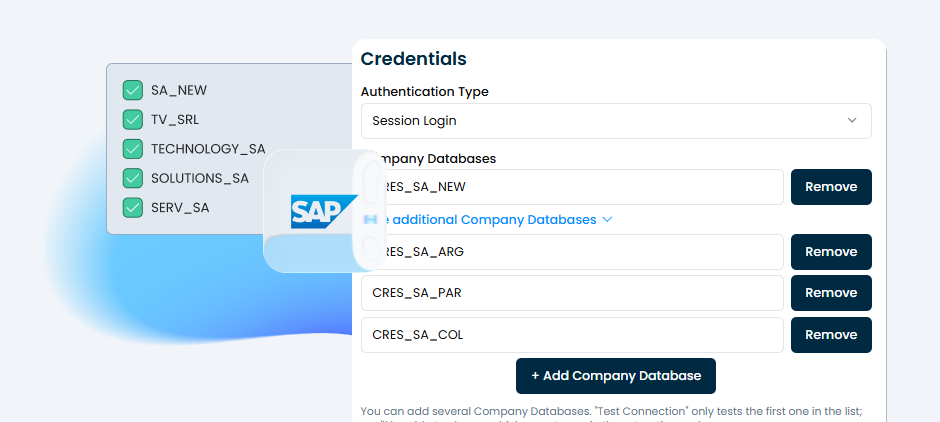
Multi-Company Support for SAP Business One
SAP Business One connections can now work with multiple Company Databases within a single connection, sharing a single username and password. • A single connection can manage multiple Company Databases instead of just one. • Each extraction node can work with one, several, or all of the Company Databases in the connection. • When extracting from more than one company database, the data is consolidated into a single file, with a “CompanyDB” column that identifies the source of each record. • The lists of company databases can be collapsed and expanded, keeping the view organized even when many databases are configured.
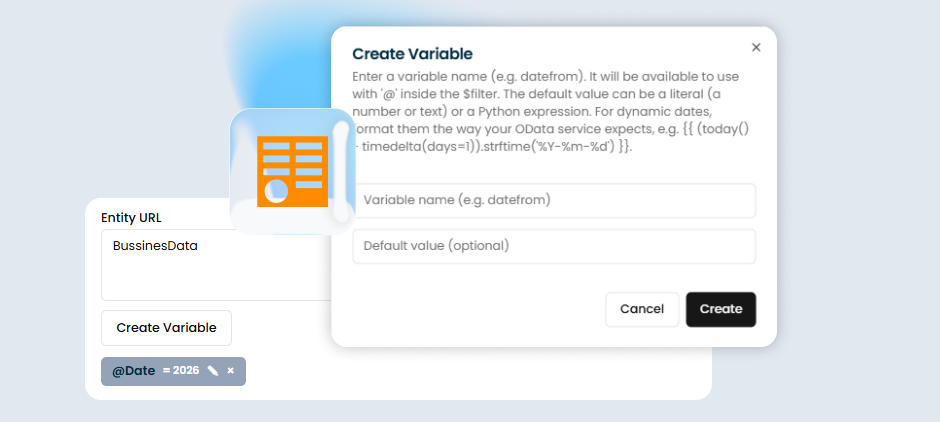
Dynamic Variables in OData Sources
OData sources now support variables, a feature that was previously available only in table sources (SAP / SQL). • OData filters can include variables instead of fixed values. • Variables support dynamic values—for example, relative dates that are recalculated with each execution (such as the last 7 days)—eliminating the need to manually update filters. • They also support fixed values (text or numbers) when a one-time filter is needed.
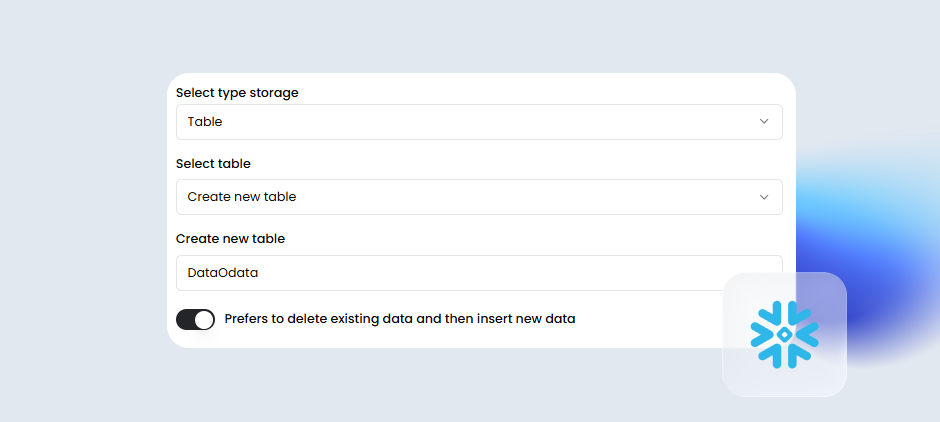
Replacing Data in Snowflake Destinations (Table Type)
Snowflake Table-type destinations now offer the option to overwrite existing data during a load, rather than accumulating previous runs. just as was already the case for SQL Server. • With this option enabled, if the table already exists, the previous data is deleted and the new data is loaded, while preserving the table structure. • With this option disabled, the new data is appended to the existing data (previous behavior).

Multi-Company Support for SAP Business One
SAP Business One connections can now work with multiple Company Databases within a single connection, sharing a single username and password. • A single connection can manage multiple Company Databases instead of just one. • Each extraction node can work with one, several, or all of the Company Databases in the connection. • When extracting from more than one company database, the data is consolidated into a single file, with a “CompanyDB” column that identifies the source of each record. • The lists of company databases can be collapsed and expanded, keeping the view organized even when many databases are configured.