Variables
Variables
The “Variables in Nodes” process allows the creation and management of variables within the nodes connecting a source and a destination. These variables can be used to customize and automate SQL queries in the “SQL Editor> where” section.
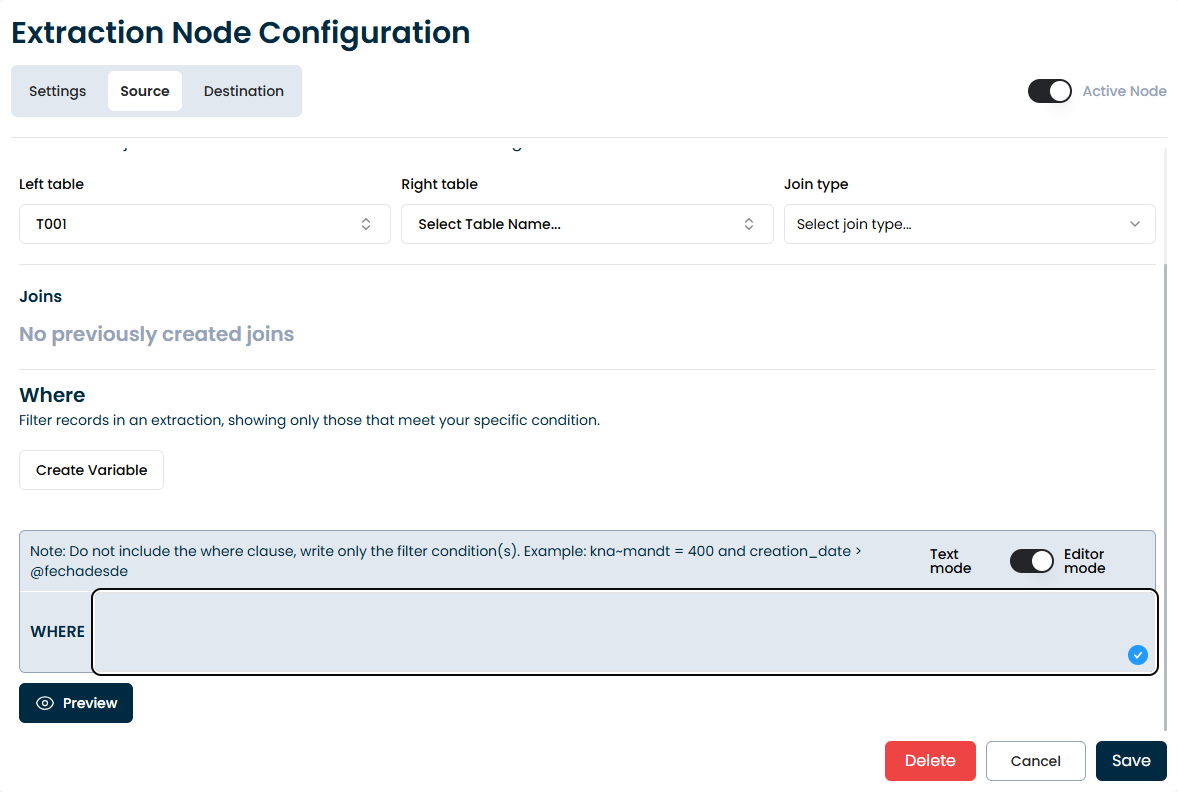
Main Features
Definition of Variables:
Variables are defined using the @ symbol followed by the variable name, for example, @date.
You can create as many variables as you consider necessary for your queries.
Types of Variables:
Hard Text: Fixed values that do not change, such as @date = ‘10/20/2025’.
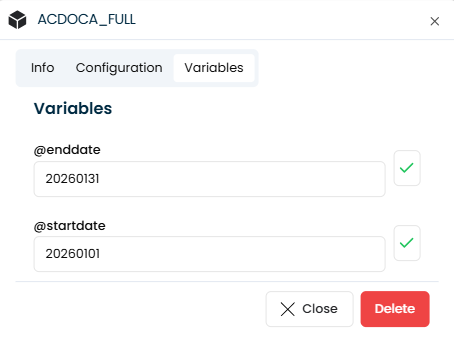
Python code : Allows the execution of dynamic code between braces, such as
{{today().replace(...)}}, to schedule jobs and customize each execution.
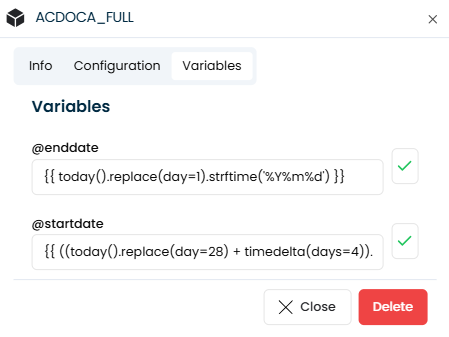
Examples of use — Python code:
- First day of the current month:
{{ today().replace(day=1).strftime('%Y%m%d') }} - Last day of the current month:
{{ ((today().replace(day=28) + timedelta(days=4)).replace(day=1) - timedelta(days=1)).strftime('%Y%m%d') }}
In Python code, text strings must be enclosed in single quotes ('...'), not double quotes.
Within the SQL Editor, you can use these variables to create dynamic SQL queries. Important: When referencing the variable in the WHERE clause, it must be enclosed in single quotes to avoid syntax errors. Example:
SELECT * FROM table WHERE date = ‘@date’
Implementation
Creation of Variables:
Define the required variables in the corresponding node. Assign fixed or dynamic values as needed.
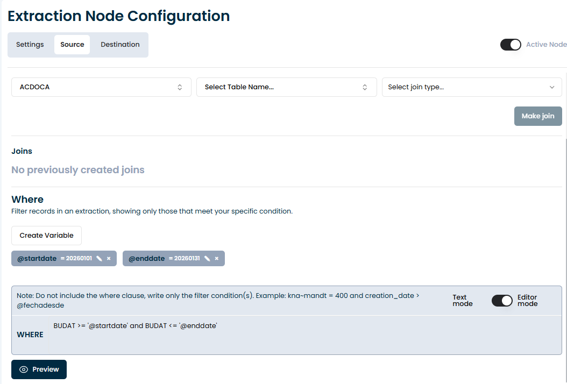
Configuration of SQL Queries
Use the variables defined in the SQL Editor to customize your queries. Ensure that variables are correctly referenced within single quotes ('@variable') to avoid syntax errors.
Execution of Jobs:
Use the variables defined within the “SQL Editor” to customize queries. Make sure the variables are correctly referenced in the query.
Schedule the execution of tasks using dynamic variables. Make sure that the Jinja2 code between braces is correctly implemented to obtain the desired values.