SQL Editor
SQL Editor
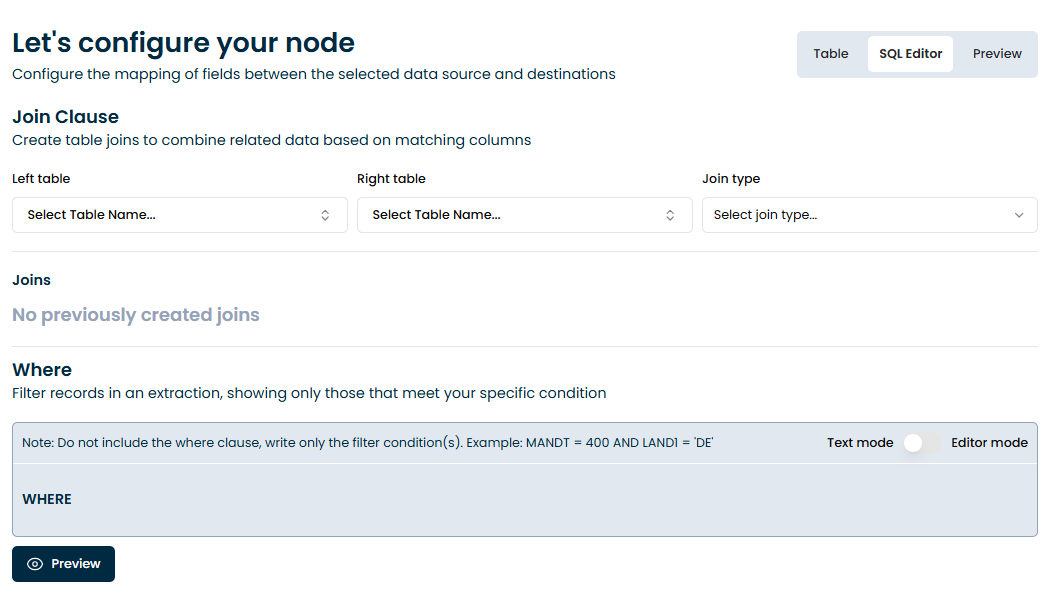 The SQL Editor allows you to define complex logic for your extractions by combining tables and applying filters, using standard SQL syntax. This feature is available for sources such as SAP S/4HANA, ABAP, and CDC tables.
Join Clause
Use the Join Clause section to combine two or more tables based on matching fields. You can choose between different types of joins:
- Inner Join
- Left Join
To create a join:
- Select a Left table and a Right table.

- Choose the Join type from the dropdown.

- Once both tables are selected, map the corresponding fields (left and right).

- Click Make join to save.
This operation is useful when you need to enrich your data by bringing in related fields from multiple tables.
WHERE Clause
The Where section lets you filter the results by specifying conditions. You can add multiple conditions using standard SQL syntax. For example:
MANDT = 400 AND LAND1 = 'DE'
There are two modes:
- Text Mode: Write conditions manually.
- Editor Mode: Enables a more guided UI experience.
You can also insert reusable variables to make your queries dynamic. See the Variables Guide for more details on how to define and use them.