Odata attachments files
Odata attachments files
This document describes the procedure for downloading files hosted in SAP ByDesign systems and transferring them to a compatible storage configured in Crestone.
It is important to note that extracted files must be stored in a destination supported by the platform, such as AWS S3, Snowflake Storage, Google Cloud Storage, among others available in Crestone.
Selection of the OData source compatible with ByDesign
At the end of the configuration, you will find a switch that specifically enables the extraction of files from this type of source.
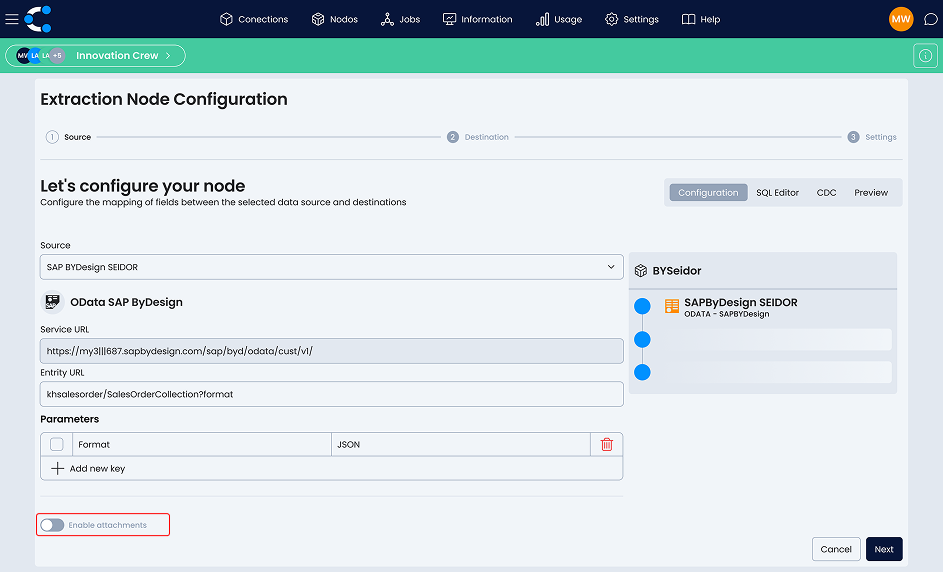
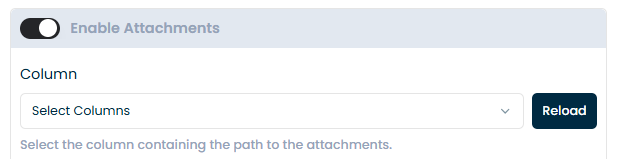
Definition of the column with the document path
Select the column name that contains the reference to the attachments.
The [↻ Reload] button reloads the available columns if you made changes to the URL. Crestone will use this information to locate and download the files correctly.
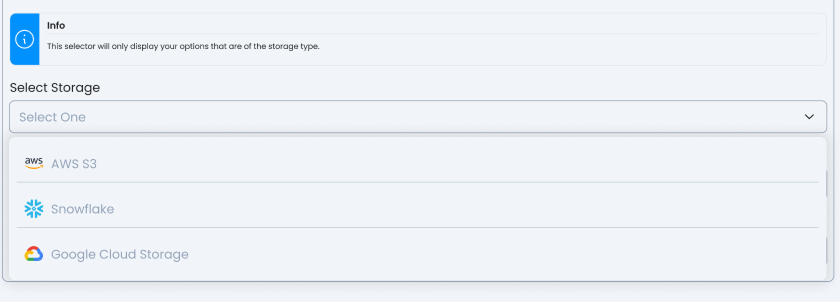
Selection of the storage destination
Select the destination storage where the downloaded files will be stored.
Available options in Crestone: Azure Storage, AWS S3, Google Cloud Storage, and Windows File Server.
Requirement: Only systems you have previously configured as "Destination" of type "Storage" will appear.
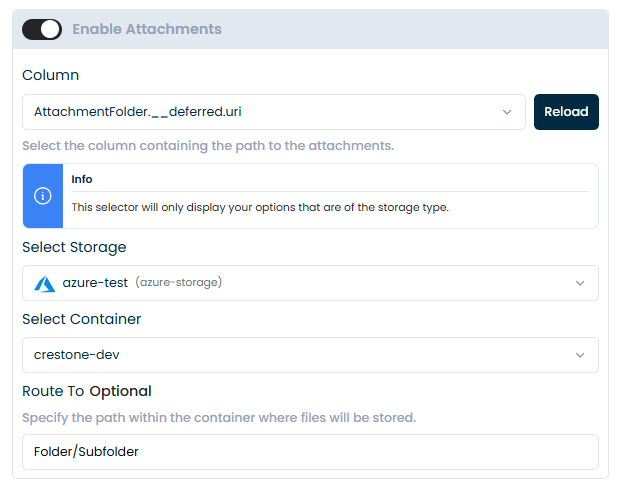
Configuration of destination details
Configure the relevant parameters of the selected destination. Select Container
Options:
- Select an existing container from the list
- Create a new container: [Create new container]
Route To (Ruta Opcional) A subfolder within the container where the files will be organized.
Examples: Files, so the path within the selected container will look like this:
CrestoneDev/Files/file.pdf
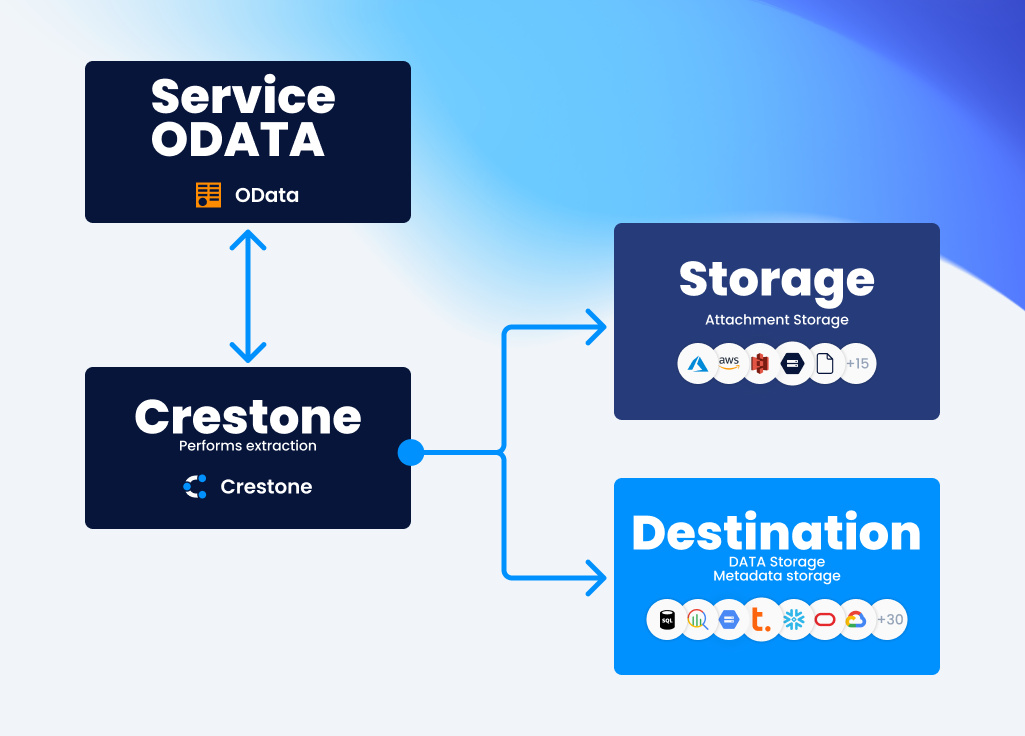
Execution process
1. Extracting Main Data
The system connects to the OData service and extracts the main records.
These records are processed by Crestone and stored in the configured data destination.
2. Attachment Processing
If the OData service contains attachments, Crestone initiates a parallel process to download them.
During this process:
- The field containing the attachment reference is identified.
- The attachments are downloaded from the OData service.
- The files are uploaded to the configured storage.
This processing is performed in parallel to optimize extraction time.
3. Generating and Storing Attachment Metadata
Once the attachments are processed, the system generates an attachment metadata table containing information related to the extraction, such as:
- Record identifier
- File name
This table is automatically created and stored in the same data destination selected for the extraction.
Example Result
| Field | Result |
|---|---|
| Data | Destination (main table) |
| Metadata | Destination (metadata table) |
| Attachments | Storage |
The file path is optional. If not specified, Crestone will use the default setting defined for the destination.