CDC
CDC
What is it?
Table CDC (Change Data Capture) captures inserts, updates, and deletes performed on SAP
master or transactional data tables — using SAP's change-document framework (CDHDR/CDPOS) or
direct table-level pointers for tables that support it. Instead of extracting the full table on
every run, Crestone keeps a pointer and only pulls records that changed since the last
successful extraction.
Table CDC is one of several ways Crestone can do incremental loads from SAP. If you're deciding which one fits your case (timestamp filtering, SAP standard delta extractors, or Table CDC), see the Incremental Loads overview page first.
Configure a Table CDC node
1. Set the source and type
In the extraction node's Source tab, select:
- Source:
SAP ABAP - Type:
Table CDC - Base Table: the table to capture changes from (e.g.
MAKT— Material Descriptions)
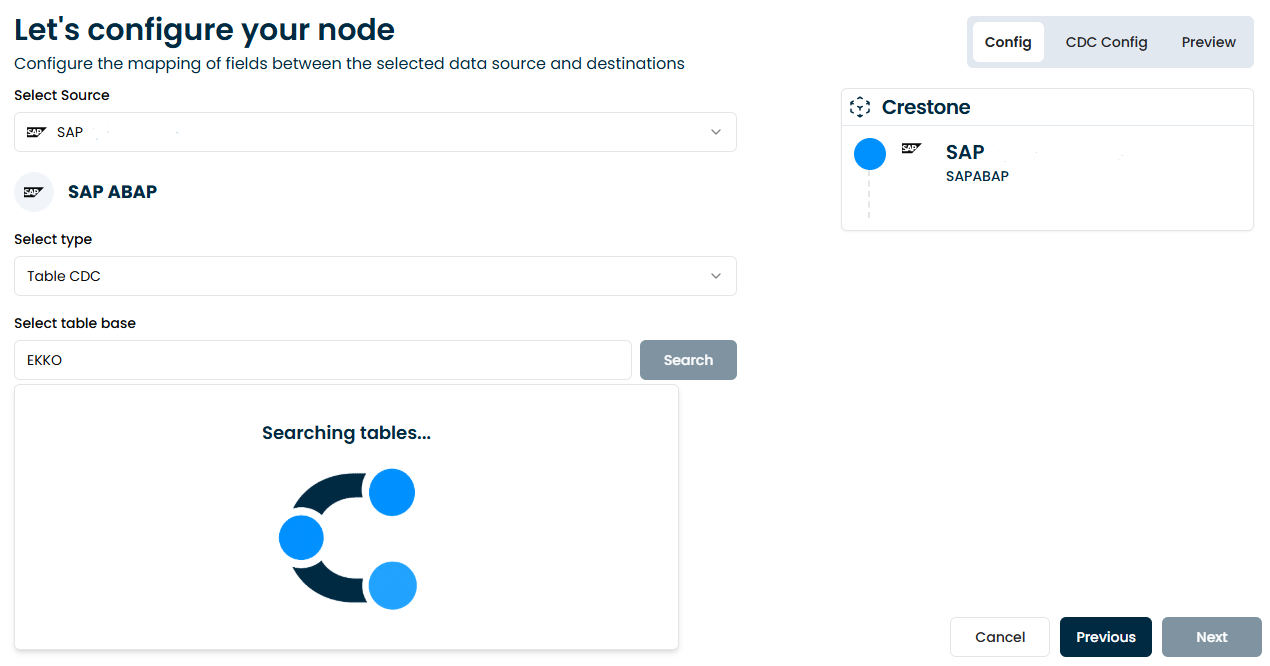
Crestone automatically maps the table's fields once you select it.
2. Run the initial load
The first execution is always a full extraction of the existing data (initialization). During this run, Crestone registers the CDC subscription and creates the pointer that later executions will use to fetch only new or changed records.
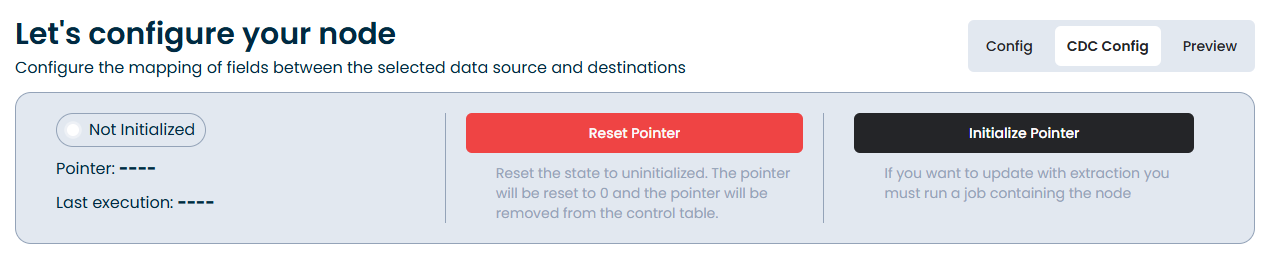
3. Check the CDC Config tab
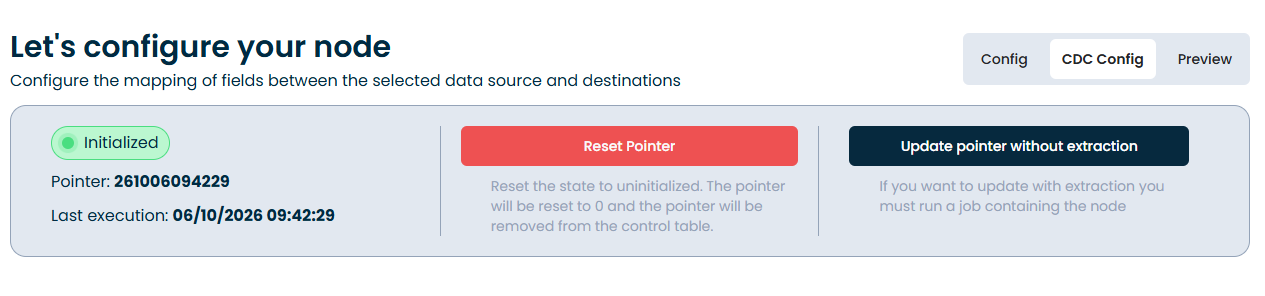
Once initialized, open the node's CDC Config tab to see the subscription status:
| Field | Description |
|---|---|
| Pointer | Last record processed / timestamp used to continue the CDC extraction |
| Last execution | Timestamp of the last successful CDC run |
| Status | Initialized or pending |
Example values as shown in Crestone:
Pointer: 20251001151851
Last execution: 20251001151851
Status: Initialized
4. Manage the pointer (optional)
From the same CDC Config tab you can control the CDC lifecycle without needing SAP GUI access:
| Action | Description |
|---|---|
| Reset Pointer | Reinitializes the process: the pointer is set back to zero and cleared from the control table. Use this when you need a full reload. |
| Update Pointer without Extraction | Moves the pointer to the current position without extracting data. Useful to skip a known/erroneous window or to resync manually. |

Considerations
- Requires change-document tracking enabled for the SAP object in question.
- Not every table is registered in SAP's change-document framework or compatible with table-based CDC — check with your SAP team if a table you need doesn't show data.
- Very active change tables may see additional load on the SAP system.
- Keep the pointer intact between runs; resetting it forces a full reload.
For master-data or transactional tables where CDC isn't available, or for tables with a reliable timestamp/last-change field instead, see the other strategies in Incremental Loads.