Licensing & Plans
Licensing & Plans
Crestone runs under an active plan that defines what your company can use. When no valid plan is active, or a limit is reached, the interface blocks the related action and shows a licensing message.
Plan limits
Each plan defines:
- Sources: maximum number of source connections.
- Destinations: maximum number of destination connections.
- Records: maximum number of records processed per month.
- Validity: activation and expiration dates of the plan.
Activate with an activation code
1. Open the licensing section
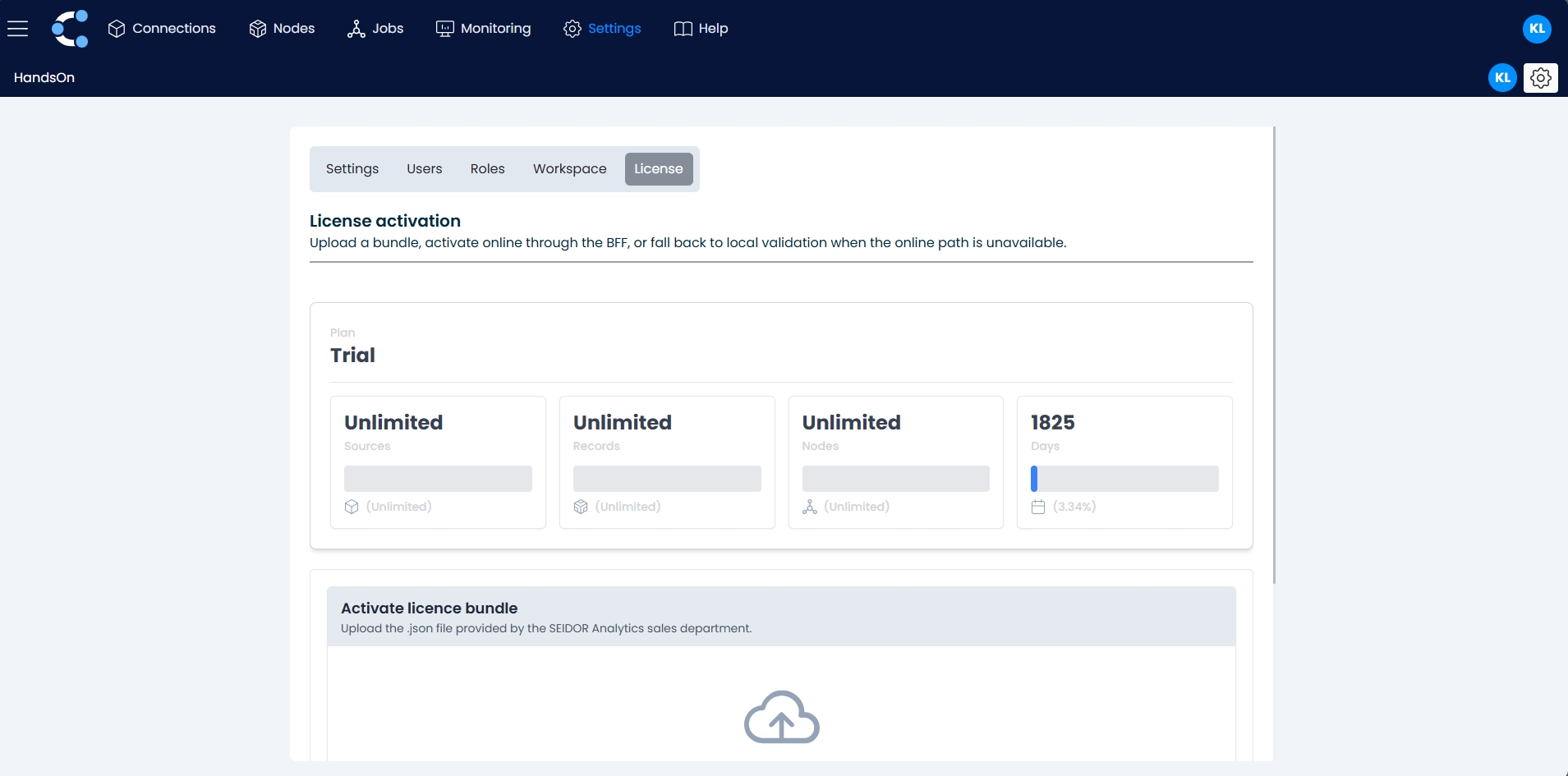
Go to Settings → Licensing.
2. Enter the code
Enter the activation code provided by Seidor Analytics and confirm. The plan becomes active immediately and its limits and expiration date are displayed.
Offline activation (license file)
For environments without internet access, Crestone supports offline activation with a signed license file (JSON bundle) provided by Seidor Analytics.
1. Load the file
In Settings → Licensing, select Offline activation and upload the license file.
2. Automatic validation
Crestone verifies the file locally in your browser: it checks the digital signature (Ed25519), the expiration date and reads the plan parameters (such as maximum nodes and records). No external connection is required.
3. Confirmation
If the file is valid, the plan is activated and shown as OFFLINE VALIDATED with its limits and expiration date.
The license file is tamper-proof: if its content is modified, the signature check fails and the license is rejected.
Usage and consumption
Records processed by your executions are counted against the monthly limit of your plan. You can check the current consumption in the licensing section.
Licensing messages
| Message | Cause | What to do |
|---|---|---|
ACTIVE_PLAN_NOT_FOUND | No active plan for your company. | Activate a plan with your activation code or license file. |
LICENSE_EXPIRED | The plan expiration date has passed. | Renew your license with Seidor Analytics. |
MAX_NODES_REACHED | You reached the maximum number of nodes of your plan. | Delete unused nodes or upgrade your plan. |
MAX_PRODUCTIVE_CONNECTIONS_REACHED | You reached the limit of productive connections. | Remove a productive connection or upgrade your plan. |
MAX_RECORDS_REACHED | You reached the monthly record limit. | Wait for the next monthly period or upgrade your plan. |
NON_PRODUCTIVE_SOURCE_CONNECTIONS | Your plan only allows non-productive source connections. | Use a non-productive system or upgrade your plan. |