Users
Users
How a user is created
A user can be created in four ways. What changes between them is which tenant the user ends up in and with which role:
| How it is created | What happens with the tenant | Initial role |
|---|---|---|
| Registration (the first time someone registers in Crestone) | A new tenant is created, with its workspace and a trial license. | SuperAdmin of the new tenant |
| Created from inside the tenant (an administrator uses Create User) | It is an invitation: the user ends up in the administrator's tenant; no tenant is created. The person receives an email to set their password. | The one the administrator chooses, with the workspace they choose |
| First sign-in with Microsoft, with Microsoft Login active | The user is created inside the tenant that configured Microsoft login; no tenant is created. | Microsoft SSO user (read-only), with access to the tenant's workspaces |
| Sign-in with Microsoft without configuration | Nothing is created: a notice says that Microsoft login is not configured. | — |
info
- An email can belong to only one tenant. For someone to be part of another tenant, that tenant must invite them with an email that is not registered in another one.
- A new tenant is created only through registration. Neither the invitation nor the Microsoft sign-in creates tenants.
- Microsoft login only exists if a superadmin configured it beforehand in Settings → Microsoft Login. That is why the first person in a company is always created through registration.
Create new User
Users must be assigned to a role to access the platform.
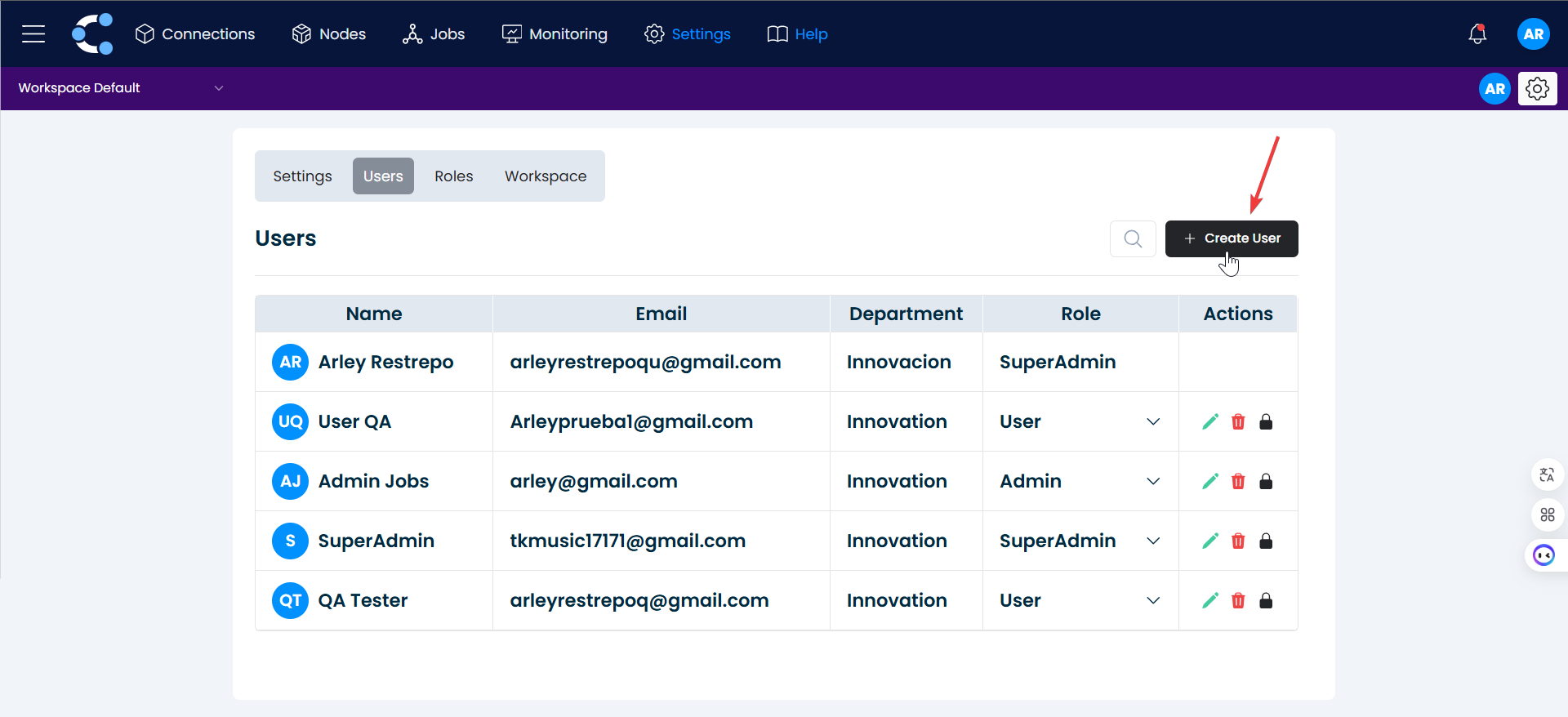
Steps to create a User:1. Create User
Click on the "Create User" button.
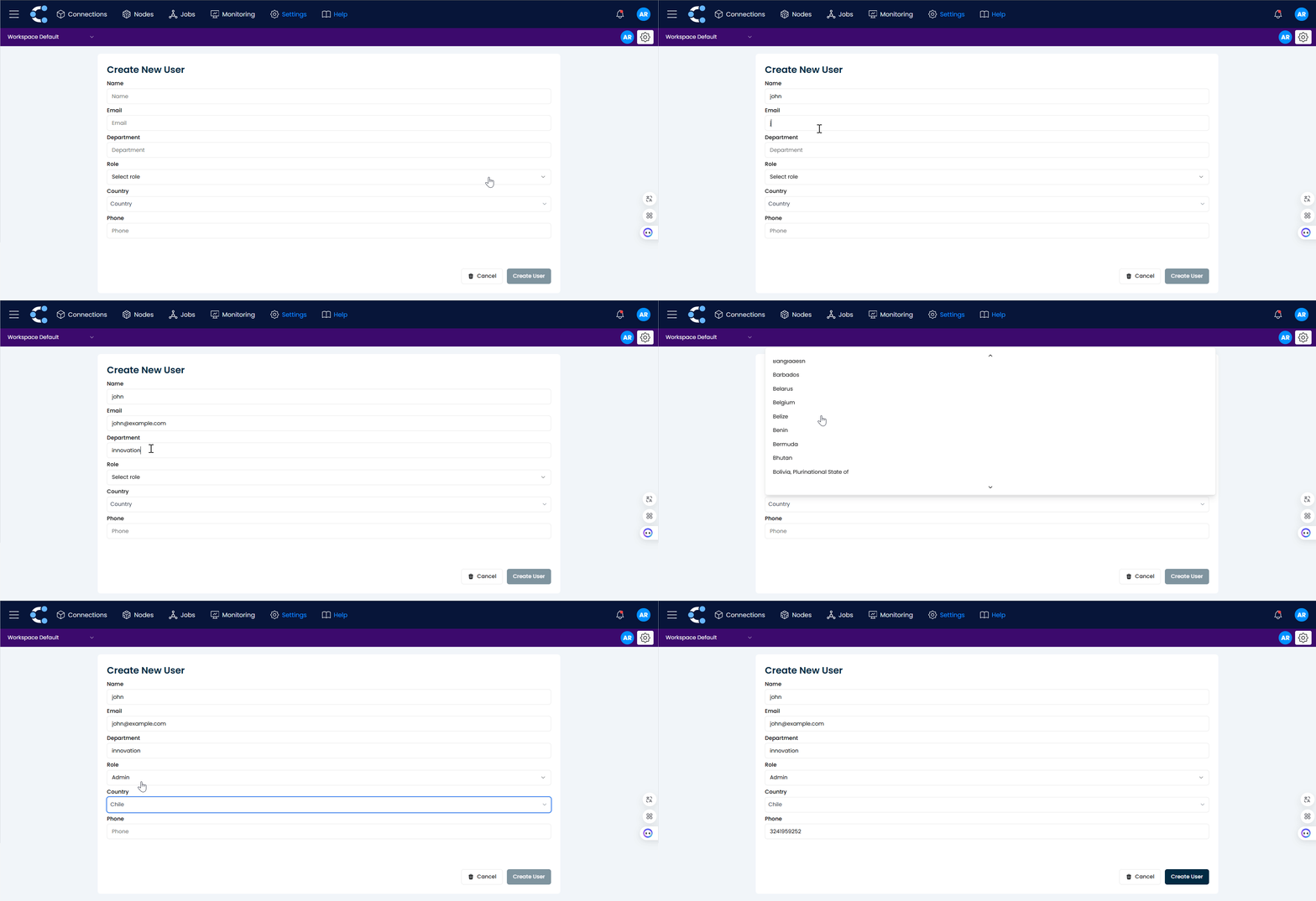
2. Fill out the form
You will be taken to a form where you must fill in the empty fields with the new user's information.
3. Confirm the creation
Click on "Create User".
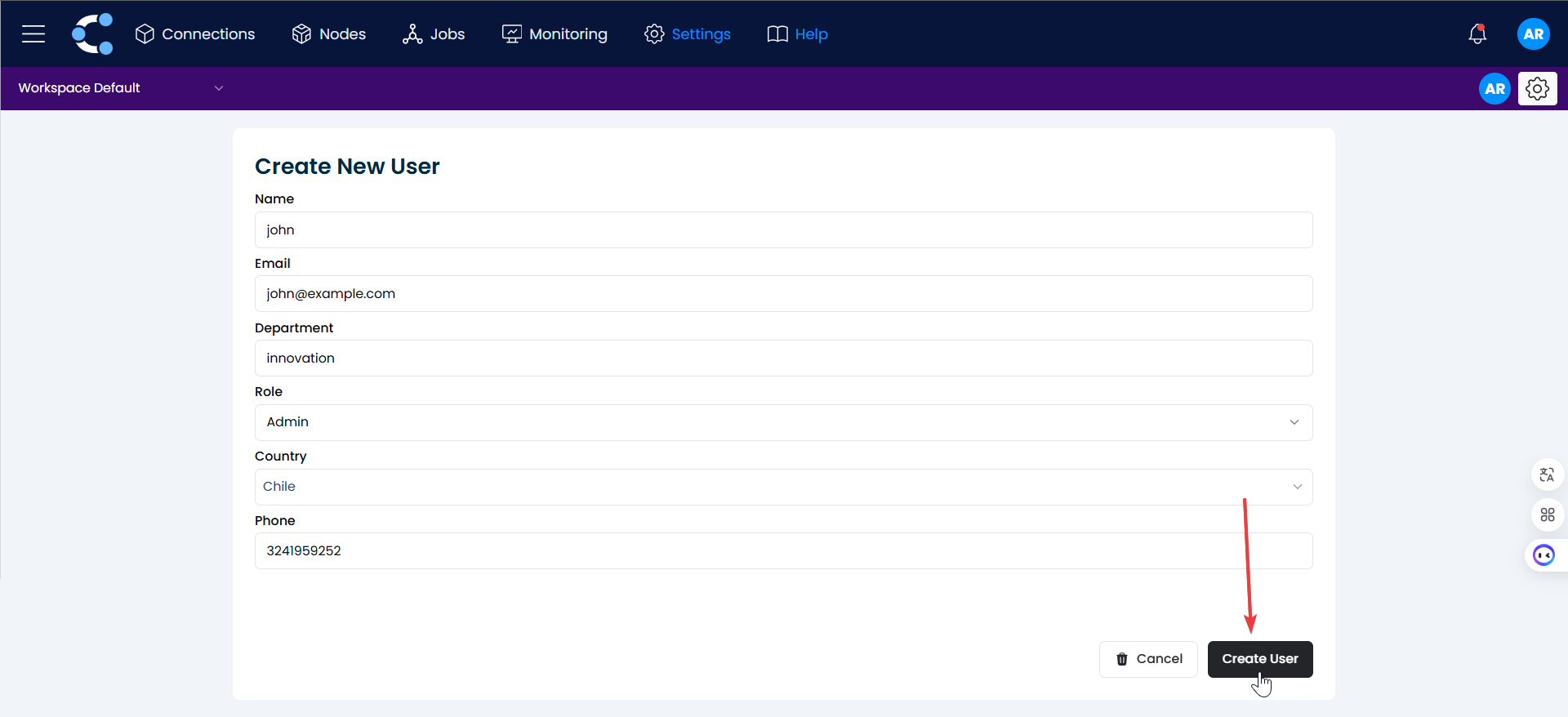
And that's it! The user has been successfully created.
Remove a user
From the same member list, use the delete action next to the user. The user loses access to the workspace resources but keeps their account and their membership in other workspaces.
Best practices
- Assign the minimum permissions needed for each profile (for example, read-only monitoring roles for operations teams).
- Use separate workspaces for development and production, with stricter roles in production.
- Limit the number of superadministrators.